
Walkthrough
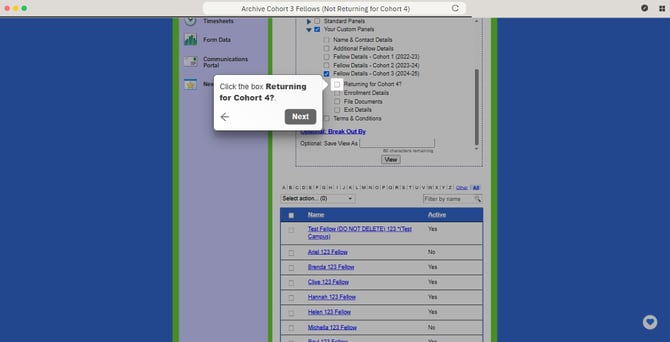
Archive Cohort 3 Fellows (Not Returning for Cohort 4)
DO NOT ARCHIVE FELLOWS WHO WILL SERVE IN COHORT 4.
To archive a group of Fellows, start by logging into the Fellow Impact Suite.
-
On the left, in your Mission Control, click Fellows, Staff, & Community Host Partners.
-
On the right, click Manage fellow accounts.
-
Use the Customize a View Section near the top of the page, then click Column Selection.
-
Check the following boxes:
-
Your Custom Panels
-
Fellow Details - Cohort 3 (2024-25)
-
Returning for Cohort 4?
-
Then, click View.
-
- Now, organize your Fellows by Returning for Cohort 4 by clicking the label at the top of the table. (For a visual reference, please click See Steps above.)
- Select all of the Fellows who are not returning for Cohort 4.
- Open the drop-down menu and select Archive Selected (#).
*If you are unable to archive Fellows using this method, please reference this article: Why Can't I Archive My Fellow?