
The Admins Who Need to Screen Timesheets report gives you a quick way to identify and follow up with admins who have timesheets pending their approval.
Here’s how to use it:
-
On the left, in your Mission Control, click Timesheets.
-
On the right, select View program-wide data or Site data.
-
On the next page, select the Timesheet Template at issue.
-
At the bottom of the page, select Admins Who Need to Screen Timesheets.
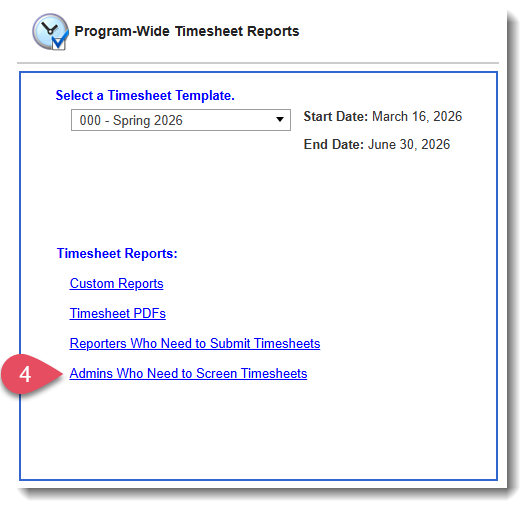
- On the following page, choose one of the following options:
- View by Site
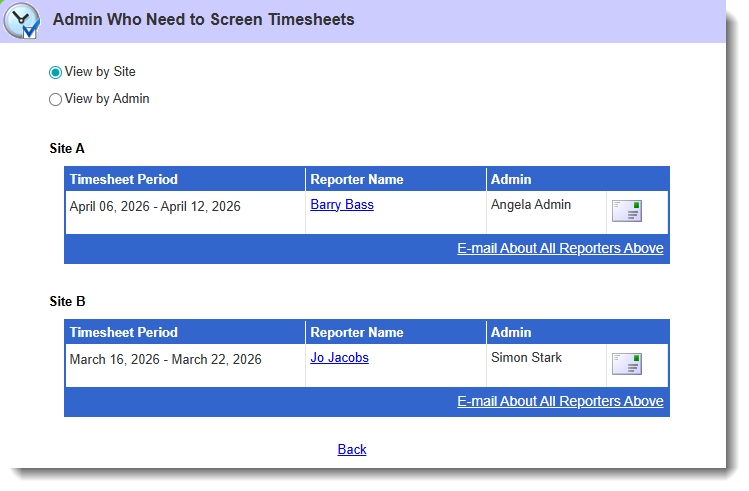
Use the envelope icon or E-mail about All Reporters Above to follow up with admins who have not yet screened pending timesheets. - View by Admin
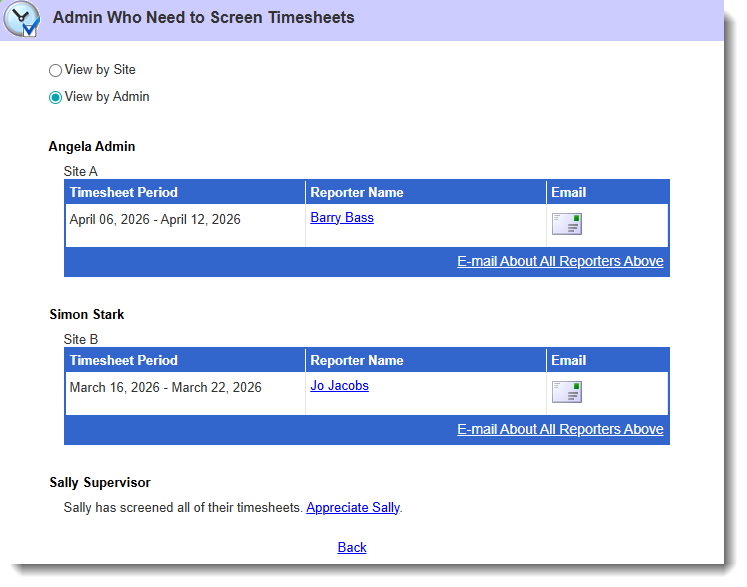
Use the envelope icon or E-mail about All Reporters Above to follow up with admins who have not yet screened pending timesheets.
You'll also see an option to Apprecite [Admin] for those who have no pending timesheets to screen.
- View by Site