
Admin Role Permissions
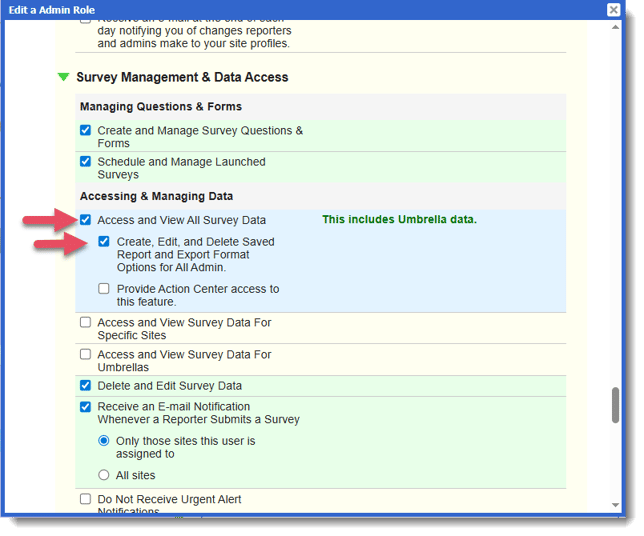
In order to save report selections and export options, admins will need a role with the permission, "Create, Edit, and Delete Saved Report and Export Format Options for All Admin."
Update admin roles that need this ability by following these steps:
- On the left, in your Mission Control, click Reporters, Admins, & Sites.
- On the right, under Manage Admins, click Manage admin roles.
- Find the admin role you need to update and click the Edit link.
- When the window opens, scroll to the section called Survey Management & Data Access.
- Admins who will be able to save selections and export options will need to have the permission "Access and View All Report Data" AND the new permission "Create, Edit, and Delete Saved Report and Export Format Options for All Admin."
- Click Update to save your changes.