(Financial Reporting for Commission Admin)
How to Get There
- On the left, click Financial Reporting.
- On the right, click Create and manage program years.
- Under Manage Existing Program Years, use the drop-down menu to select your program year and click Open.
- Scroll to the Included Programs section and finish updating and setting up your programs.
Enter Details for Each Program
This is where you’ll add programs to the program year. Be sure you’ve already enrolled programs to your Impact Suite (here’s the guidance).
To add your first program, click Assign Programs.
Or, if you've already at least one program, you can add new programs at any time by clicking the Edit Assignments link. 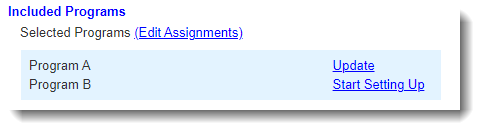
Set Up Programs
After enrolling programs, click each program’s corresponding Start Setting Up link. You will do this for each program in your Program Year.
A pop-up window will be displayed where you’ll be prompted to enter details for the program. These details are divided into five sections: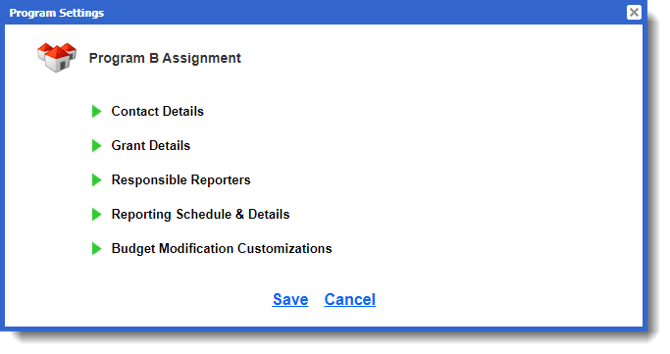
Start Setting Up Sections |
Keynotes |
Contact Details |
|
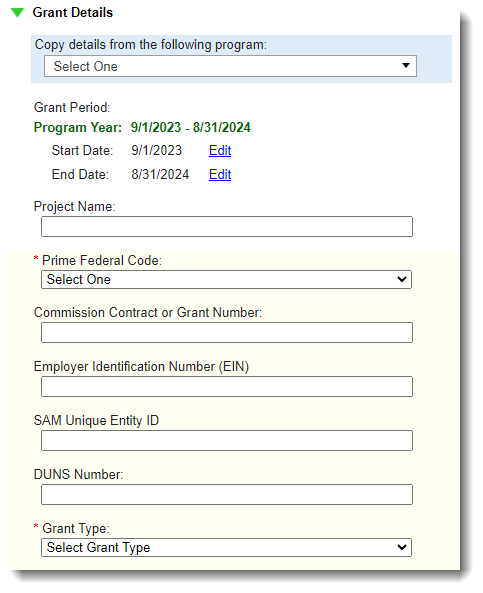
Grant Details |
|
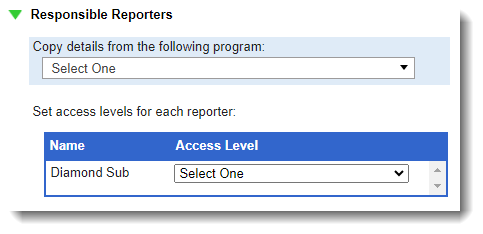
Responsible Reporters |
|
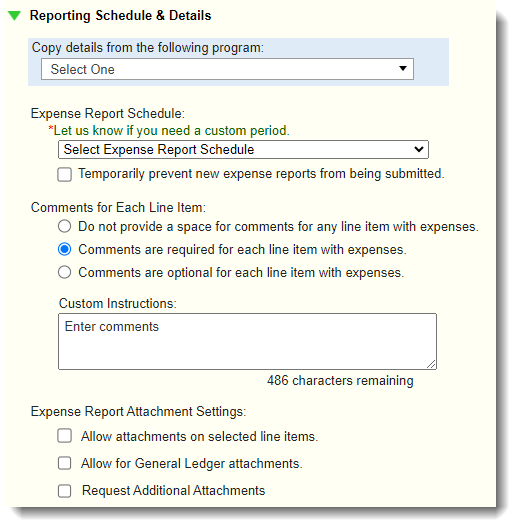
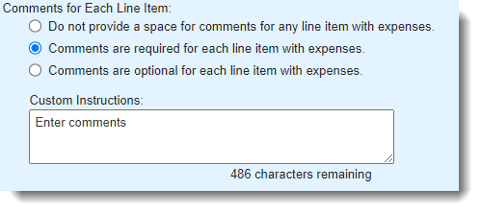
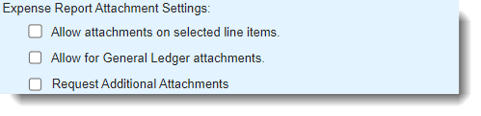
Reporting Schedule & Details |
|
|
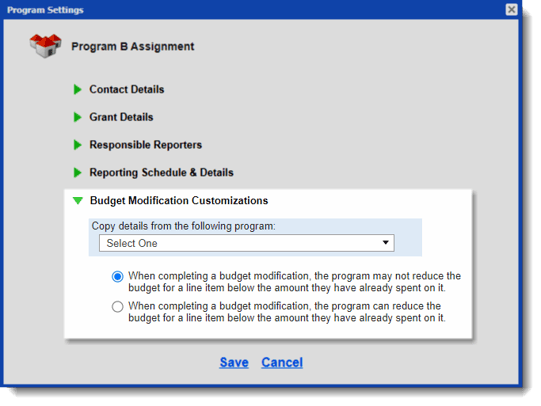
Budget Modification Customizations
|
|
 Use the links to Edit or Delete requests.