Adding an e-signature ID in signNow
Some users prefer an e-signature ID on all signed documents, like in the example below. 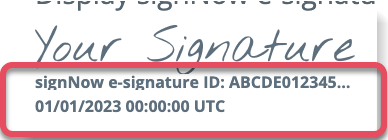 This can be enabled and disabled in signNow as needed. Here are the steps:
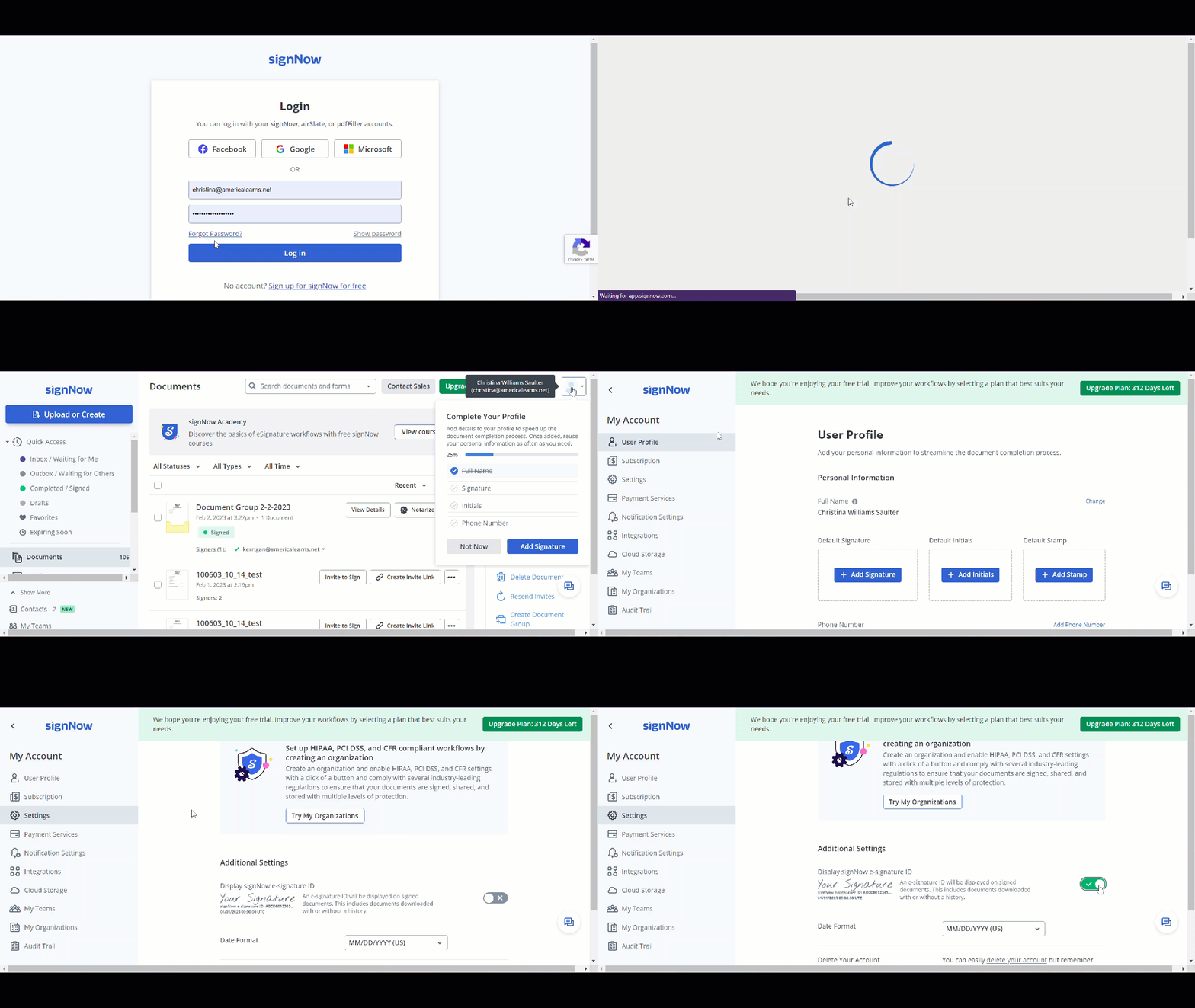
- To begin, navigate on your browser to signNow.com and in the top right corner, select Login.
- Login in with the signNow email and password sent to you by America Learns.
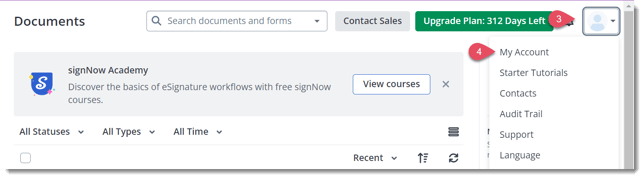
- In the top right corner, click the profile icon.
- From the dropdown menu, select My Account.
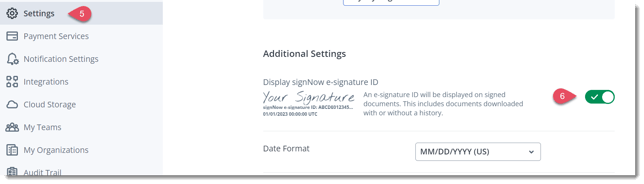
- On the left panel, navigate to and select Settings.
- Scroll to the bottom of the page and under Additional Settings, select the checkbox under Display signNow e-signature ID.