
- On the left, in your Mission Control, click Timesheets.
- On the right, click Create & manage timesheet templates.
- At the bottom, select the template that you’d like to update.
- Expand the section of the template called The Basics.
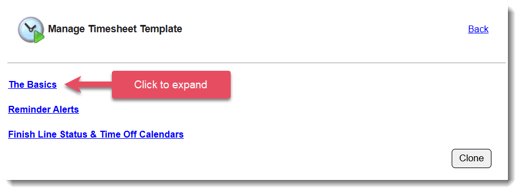
- Locate the panel for Active Timesheet Positions and in the bottom right, click Edit.
- Select the Timesheet Positions relevant to this timesheet template.
- Click Set.
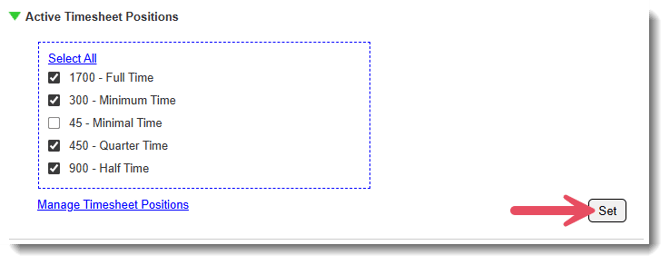
TIP: If you need to change or edit your Timesheet Positions, use the Manage Timesheet Positions link. This page will open in a new tab.