
The Action Center is a place for your admin to get notifications on items that require a response from them (think timesheet approval, survey reviewing, and document signing). To turn on the Action Center for your admin, you'll need to update their admin roles. Here are the steps.
Admin Permissions
In order to access the Action Center, you'll need to turn it on in each applicable Admin Role.
- On the left, in your Mission Control, click the Reporters, Admin, & Sites.
- On the right, click Manage admin roles.
- Find the role you would like to change and click the Edit link.
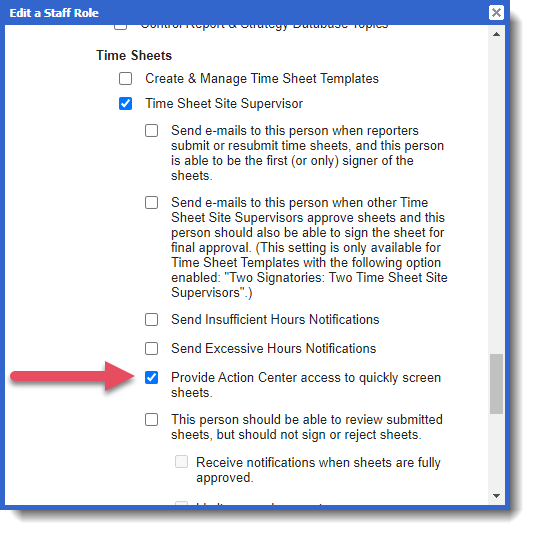
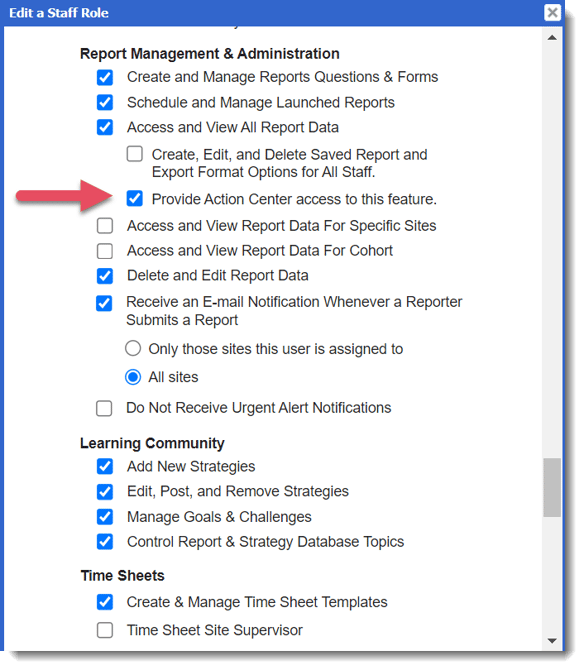
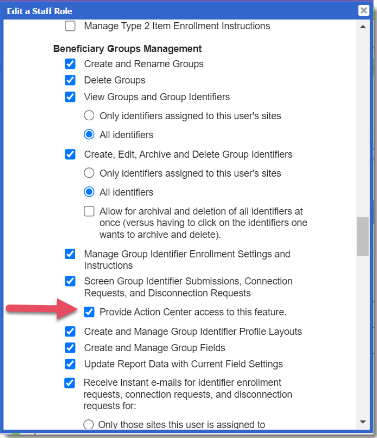
- When the window opens, you can turn on permissions to access the Action Center in the following areas: Timesheet Management, and Group Management.
- Timesheets:
- Survey Management:
- Group Management:
- Timesheets:
- To save your changes, scroll to the bottom of the window and click Update.
Video Resource: Quick Start Guide
Video Resource: Getting Started with the Action Center