
Walkthrough
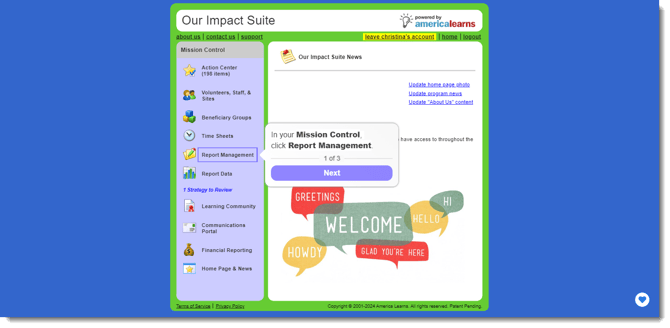
Access the Question Creation and Management Page
To navigate to the space where you can manage existing questions and to create new ones, follow these stepsl:
-
In your Mission Control, click Survey Management.
-
On the right, click Create and manage questions.
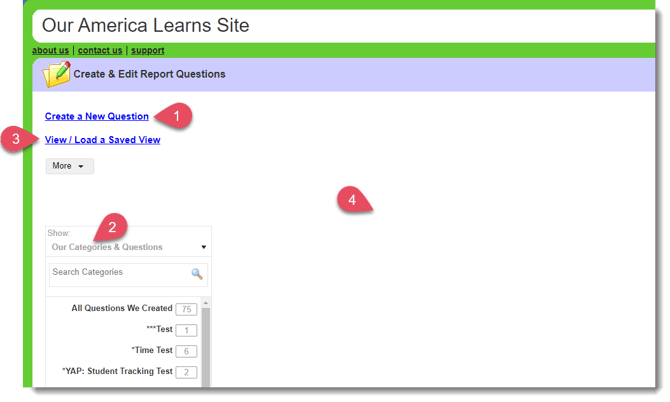
The question management page has six main components:
-
Create a New Question
-
Category Navigator
Click a category to access the active and archived questions that live inside of it. -
View / Load a Saved View
You’ll be able to create saved question for when you or colleagues return to this page. -
Question Canvas
This is where all of your questions are displayed.